Visualisation
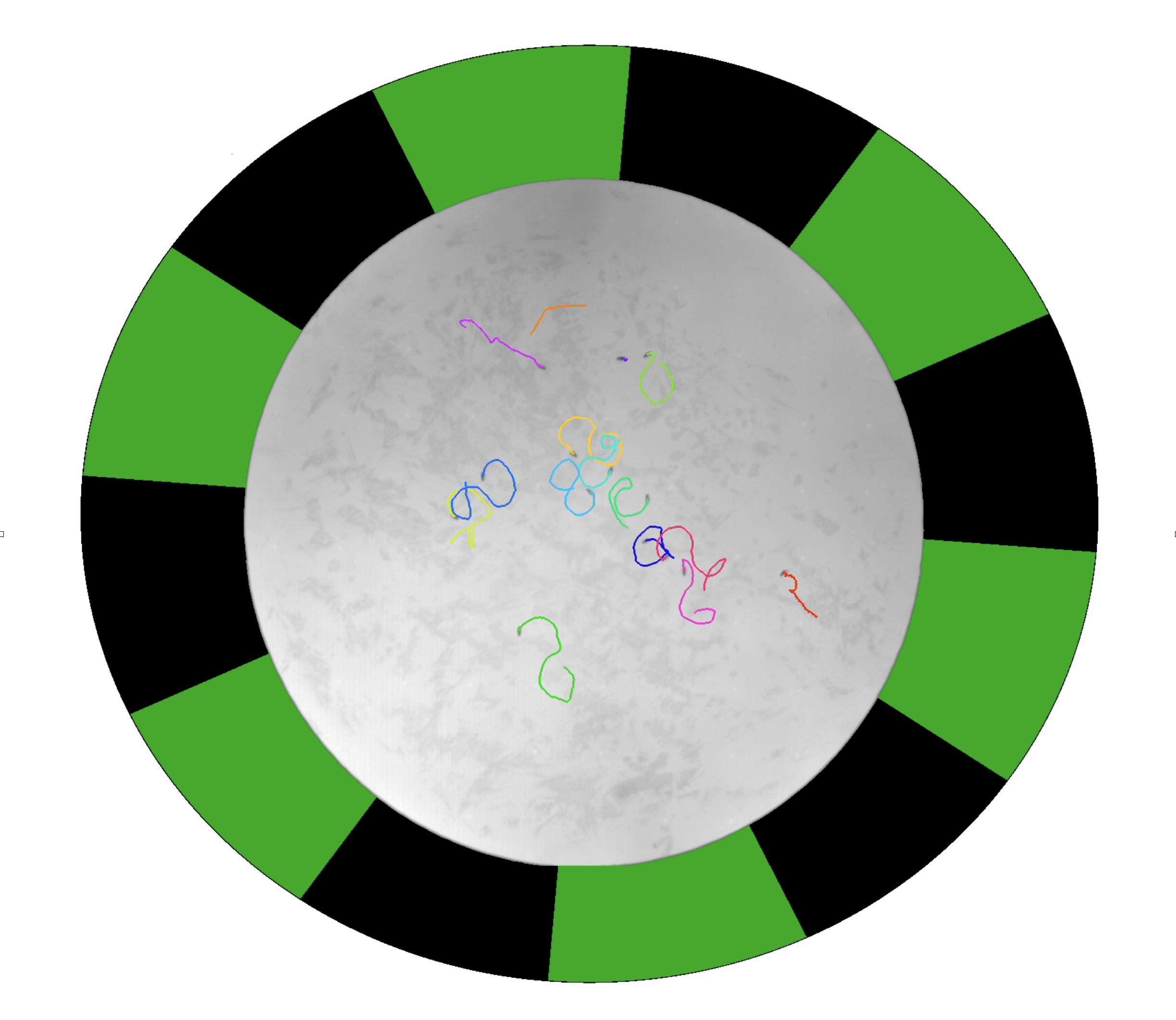
generate_circ_stim_ufmf showing the stimulus, behavioural image and superimporsed fly trajectories.Create per-condition videos with generate_circ_stim_ufmf
This function generates .mp4 videos for each individual condition within an experiment. Each video contains:
- The behavioural video of the flies (recorded in IR)
- The visual stimulus displayed as a ring around the outside of the circular arena image, reconstructed from the pattern file used during the experiment
- 2-second trajectory traces of the flies superimposed on the image
The videos are played at 2x real time — only every other frame from the original 30 fps video is used.
Requirements
The function should be run from within each experiment’s directory. Inside this directory there must be:
- The
.ufmfvideo of the entire experiment - The
.matLOG file - A subdirectory containing
trx.matfrom FlyTracker
The function also depends on two external resources:
- The JAABA repository (for video reading utilities)
- The patterns folder (
patterns/Patterns_optomotor/) — the function reads the LOG metadata to determine which pattern was used for each condition and opens the corresponding.matpattern file to reconstruct the stimulus display
Usage
% Generate videos for all conditions in the current experiment directory
generate_circ_stim_ufmf()

% Generate videos for specific conditions only
generate_circ_stim_ufmf([1, 3, 5])
The function iterates through each condition logged in the LOG file, determines the repetition number (rep 1 if condition index ≤ n_conditions, rep 2 otherwise), and calls create_stim_video_loop to render each video.
The following paths are hardcoded and must be updated if running on a different computer:
- Path to the JAABA repository — set this to your own JAABA checkout, e.g.
<path to>/JAABA-master - Path to the patterns folder — must point to the
patterns/Patterns_optomotor/directory - Output directory — where the generated .mp4 files are saved
The stimulus speed shown in the video is not currently linked to the actual speed used during the experiment — the pattern animation plays at a fixed rate.
Automated video generation
When the automated pipeline processes experiments via daily_processing.py, stimulus videos can be generated automatically as part of the processing step if the make_videos flag is set to true when calling process_freely_walking_data. The .mp4 files are then copied to the network 2_processed directory alongside the processed data. See the Pipeline page for details.